Raspberry Pi OS Bookworm & PlatformIO
2024.10.24/2025.04.17更新
YouTube でも紹介しています。画像をクリックすると再生できます。
Arduino Nano ESP32はアップロードにDFUプロトコルを使用しています。
ここでは、DFUプロトコルをサポートしている Raspberry Pi OS 12(bookworm) 64bit版をインストールしてみます。
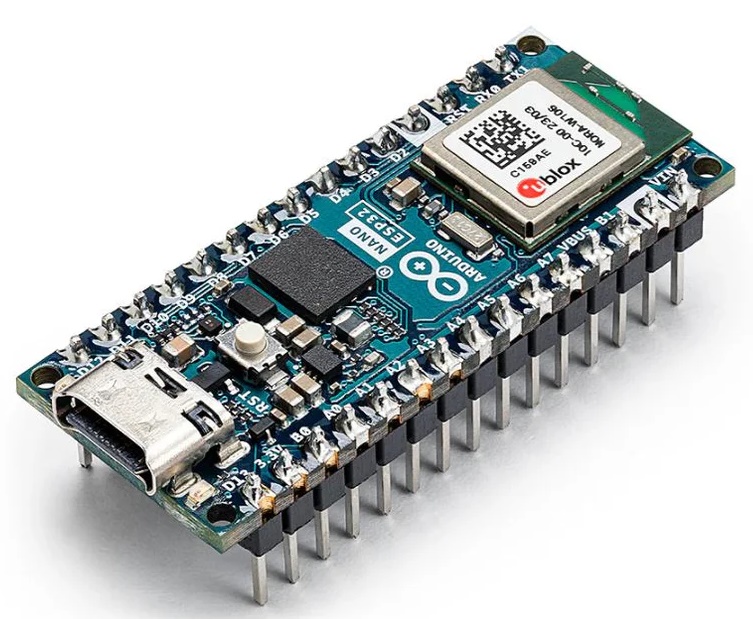
●Arduino Nano ESP32
適当にソースコードを書いてビルドしてみます
$ pio run -t upload
embedded:startup.tcl:26: Error: Can't find interface/ftdi/dfu.cfg
in procedure 'script'
at file "embedded:startup.tcl", line 26
NANO ESP32のアップロードには、dfu プロトコルを使用しています
arduino_nano_esp32.json
  "upload": {
    "flash_size": "16MB",
    "maximum_ram_size": 327680,
    "maximum_size": 16777216,
    "require_upload_port": true,
    "speed": 460800,
    "protocol": "dfu"
  },
USB DFUプロトコル
DFUは、ベンダー及びデバイスに依存しないメカニズムで、USBデバイスのファームウェアアップデートを行う方法等を提供します
arduino_nano_esp32.json 内のアップロード・プロトコルを確認します
"upload": {
    "flash_size": "16MB",
    "maximum_ram_size": 327680,
    "maximum_size": 16777216,
    "require_upload_port": true,
    "speed": 460800,
    "protocol": "dfu"
  },
上記エラーが発生した場合は、DFUをサポートしているRaspberry Pi OSを導入してください。
アップロードを行うには、framework-arduinoespressif32 バージョン 2.0.17 を必要とします。
下記環境においては正常にビルドおよびアップロード可能です
・Raspberry Pi OS with desktop (bookworm) 64bit版
・PlatformIO Core, version 6.1.16
- framework-arduinoespressif32 @ 3.20017.0 (2.0.17)
- tool-dfuutil-arduino @ 1.11.0
※32bit版 bookworm ではアップロードに失敗します。
●Raspberry Pi OS(64-bit) bookworm
最新の2024年11月9日版bookwormをインストールしてみます。
Raspberry Pi OS with desktop
Release date: November 19th 2024
System: 64-bit
Kernel version: 6.6
Debian version: 12 (bookworm)
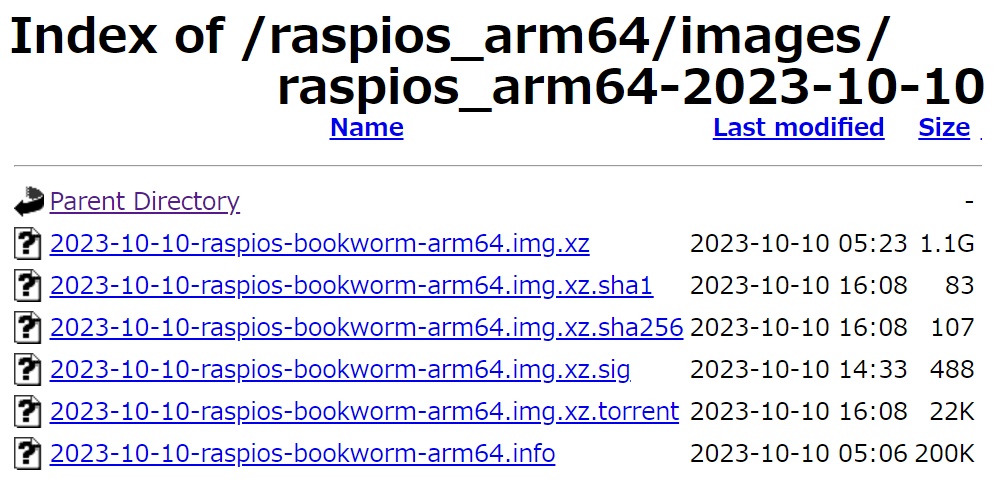
 raspios_arm64-2024-11-19
ダウンロードして解凍、Win32DiskImagerなどでmicroSDカードに焼き付けます。
Raspberry Pi を起動して、指示に従って設定していきます。
ラズベリーパイは、Raspberry Pi 3 Model B Rev 1.2を使用しています
$ cat /proc/cpuinfo
Model : Raspberry Pi 3 Model B Rev 1.2
OS のバージョンを確認しておきます
$ cat /etc/os-release
PRETTY_NAME="Debian GNU/Linux 12 (bookworm)"
NAME="Debian GNU/Linux"
VERSION_ID="12"
VERSION="12 (bookworm)"
VERSION_CODENAME=bookworm
●ネットワーク設定
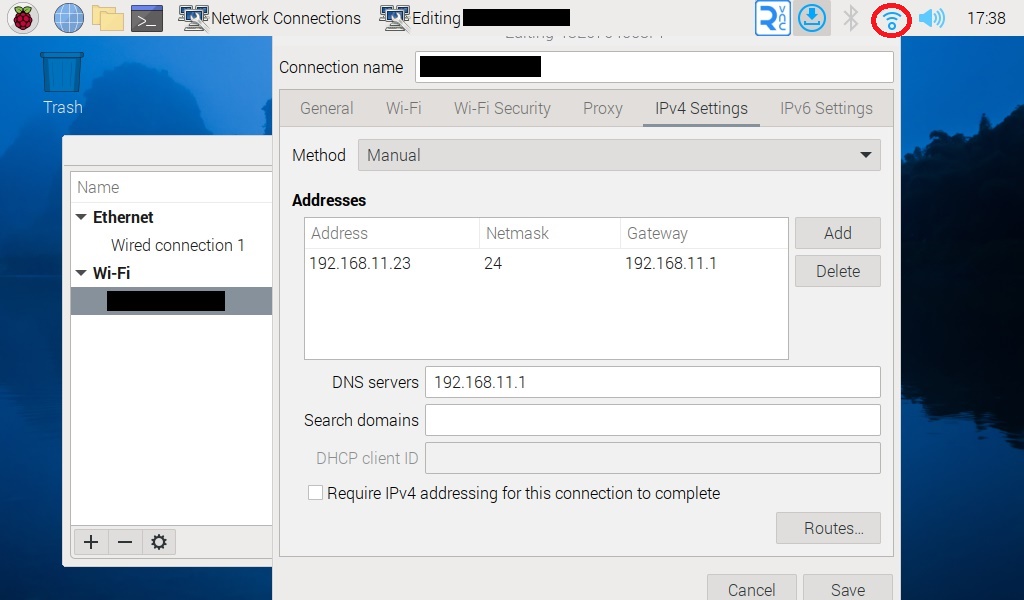
Raspberry Pi OS 12 Bookworm からネットワークの設定が dhcpcd から NetworkManager に変更されました。
ネットワーク設定はデスクトップの通信マークをクリックし、SSIDを選択して行います。
https://hassiweb.gitlab.io/memo/docs/memo/raspberry-pi/raspberry-pi-os/network-config/
ネットワークインターフェースに対するプロファイル名一覧を表示します。
$ nmcli connection show
NAME                UUID                     TYPE      DEVICE
XXXXXXXXXXXX        t4i3jt91-r8u3-43j2-23ib  wifi      wlan0
lo                  8jtiew9d-ut82-j287-2f8x  loopback  lo
Wired connection 1  2iut82k5-tewi-8j43-2ij3  ethernet  --
$ sudo cat /etc/NetworkManager/system-connections/XXXXXXXXXXXX.nmconnection
[connection]
id=XXXXXXXXXXXX
uuid=t4i3jt91-r8u3-43j2-23ib
type=wifi
interface-name=wlan0
timestamp=1728818873
[wifi]
mode=infrastructure
ssid=XXXXXXXXXXXX
[wifi-security]
key-mgmt=wpa-psk
psk=zzzzzzzzzzzzz
[ipv4]
address1=192.168.11.23/24,192.168.11.1
method=manual
[ipv6]
addr-gen-mode=stable-privacy
method=disabled
[proxy]
NetworkManagerコマンドによる設定変更
$ sudo nmcli connection modify 'プロファイル名' ipv4.addresses "<IP address>/<Prefix>" ipv4.gateway "<Gateway address>" ipv4.dns "<DNS address>" ipv4.method "manual"
例えば、DNSアドレスを 192.168.11.1 から 192.168.11.3 に変更してみます
$ sudo nmcli connection modify 'XXXXXXXXXXXX' ipv4.dns "192.168.11.3"
$ sudo cat /etc/NetworkManager/system-connections/XXXXXXXXXXXX.nmconnection
..........
[ipv4]
address1=192.168.11.23/24,192.168.11.1
dns=192.168.11.3;
method=manual
..........
●PlatformIO インストール
$ pip3 --version
pip 23.0.1 from /usr/lib/python3/dist-packages/pip (python 3.11)
以前のように pip でインストールしようとするとエラーになります
$ pip3 install -U platformio
error: externally-managed-environment
PlatformIO公式サイトからの引用です。
PlatformIO は管理者権限や sudo 権限を必要とせずに動作します。
デフォルトのユーザー アカウントを使用し、追加の権限なしでインストールを実行することを強くお勧めします。
PlatformIO / Installer Script (Recommended)
$ curl -fsSL -o get-platformio.py https://raw.githubusercontent.com/platformio/platformio-core-installer/master/get-platformio.py
$ python3 get-platformio.py
Installer version: 1.2.2
Platform: Linux-6.6.51+rpt-rpi-v8-aarch64-with-glibc2.36
Python version: 3.11.2 (main, Aug 26 2024, 07:20:54) [GCC 12.2.0]
Python path: /usr/bin/python3
Creating a virtual environment at /home/pi/.platformio/penv
.....
Installing collected packages: pip
Attempting uninstall: pip
Found existing installation: pip 23.0.1
Uninstalling pip-23.0.1:
Successfully uninstalled pip-23.0.1
Successfully installed pip-24.2
PIP has been successfully updated!
Virtual environment has been successfully created!
.....
PlatformIO Core has been successfully installed into an isolated environment `/home/pi/.platformio/penv`!
●udev rules 設定
99-platformio-udev.rules
udevルールを追加して繁栄させます
$ curl -fsSL https://raw.githubusercontent.com/platformio/platformio-core/develop/platformio/assets/system/99-platformio-udev.rules | sudo tee /etc/udev/rules.d/99-platformio-udev.rules
$ sudo service udev restart
●仮想環境パス設定
現在設定されているパスを確認します
$ echo $PATH | tr ":" "\n"
/usr/local/sbin
/usr/local/bin
/usr/sbin
/usr/bin
/sbin
/bin
/usr/local/games
/usr/games
Python 仮想環境のデフォルトの場所は、~/.platformio/penv/bin になります
$ echo 'export PATH=${PATH}:~/.platformio/penv/bin' >> ~/.bashrc
$ source ~/.bashrc
●環境設定確認
$ ~/.platformio/penv/bin/pio system info
--------------------------  -----------------------------------------------
PlatformIO Core             6.1.18
Python                      3.13.5-final.0
System Type                 linux_aarch64
Platform                    Linux-6.12.47+rpt-rpi-v8-aarch64-with-glibc2.41
File System Encoding        utf-8
Locale Encoding             UTF-8
PlatformIO Core Directory   /home/pi/.platformio
PlatformIO Core Executable  /home/pi/.platformio/penv/bin/platformio
Python Executable           /home/pi/.platformio/penv/bin/python
Global Libraries            0
Development Platforms       6
Tools & Toolchains          21
--------------------------  -----------------------------------------------
●Arduino NANO ESP32のビルド
bookworm では、DFUプロトコルをサポートしています。
DFUプロトコルを利用してアップロードを行っているNANO ESP32ボードでのビルドおよびアップロードを行ってみます
$ pio boards 'NANO ESP32'
========================================================================
ID                  MCU      Frequency  Flash  RAM    Name
------------------  -------  ---------  -----  -----  ------------------
arduino_nano_esp32  ESP32S3  240MHz     16MB   320KB  Arduino Nano ESP32
$ cat ~/.platformio/platforms/espressif32/boards/arduino_nano_esp32.json
{
  "build": {
    "arduino":{
      "ldscript": "esp32s3_out.ld",
      "partitions": "app3M_fat9M_fact512k_16MB.csv",
      "memory_type": "qio_opi"
    },
    "core": "esp32",
    "extra_flags": [
      "-DARDUINO_NANO_ESP32",
      "-DBOARD_HAS_PIN_REMAP",
      "-DBOARD_HAS_PSRAM",
      "-DUSB_MANUFACTURER=\\\"Arduino\\\"",
      "-DUSB_PRODUCT=\\\"NanoESP32\\\"",
      "-DARDUINO_USB_CDC_ON_BOOT=1",
      "-DARDUINO_USB_DFU_ON_BOOT=1",
      "-DARDUINO_RUNNING_CORE=1",
      "-DARDUINO_EVENT_RUNNING_CORE=1"
    ],
    "f_cpu": "240000000L",
    "f_flash": "80000000L",
    "flash_mode": "qio",
    "hwids": [
      [
        "0x2341",
        "0x0070"
      ]
    ],
    "mcu": "esp32s3",
    "variant": "arduino_nano_nora"
  },
  "connectivity": [
    "bluetooth",
    "wifi"
  ],
  "debug": {
    "openocd_target": "esp32s3.cfg"
  },
  "frameworks": [
    "arduino",
    "espidf"
  ],
  "name": "Arduino Nano ESP32",
  "upload": {
    "flash_size": "16MB",
    "maximum_ram_size": 327680,
    "maximum_size": 16777216,
    "require_upload_port": true,
    "speed": 460800,
    "protocol": "dfu"
  },
  "url": "https://docs.arduino.cc/hardware/nano-esp32",
  "vendor": "Arduino"
}
$ cat ~/.platformio/packages/framework-arduinoespressif32/variants/arduino_nano_nora/pins_arduino.h
#ifndef Pins_Arduino_h
#define Pins_Arduino_h

#include

#define USB_VID 0x2341
#define USB_PID 0x0070

#ifndef __cplusplus
#define constexpr const
#endif

// primary pin names

#if defined(BOARD_HAS_PIN_REMAP) && !defined(BOARD_USES_HW_GPIO_NUMBERS)

// Arduino style definitions (API uses Dx)

static constexpr uint8_t D0         = 0; // also RX
static constexpr uint8_t D1         = 1; // also TX
static constexpr uint8_t D2         = 2;
static constexpr uint8_t D3         = 3; // also CTS
static constexpr uint8_t D4         = 4; // also DSR
static constexpr uint8_t D5         = 5;
static constexpr uint8_t D6         = 6;
static constexpr uint8_t D7         = 7;
static constexpr uint8_t D8         = 8;
static constexpr uint8_t D9         = 9;
static constexpr uint8_t D10        = 10; // also SS
static constexpr uint8_t D11        = 11; // also MOSI
static constexpr uint8_t D12        = 12; // also MISO
static constexpr uint8_t D13        = 13; // also SCK, LED_BUILTIN
static constexpr uint8_t LED_RED    = 14;
static constexpr uint8_t LED_GREEN  = 15;
static constexpr uint8_t LED_BLUE   = 16; // also RTS

static constexpr uint8_t A0         = 17; // also DTR
static constexpr uint8_t A1         = 18;
static constexpr uint8_t A2         = 19;
static constexpr uint8_t A3         = 20;
static constexpr uint8_t A4         = 21; // also SDA
static constexpr uint8_t A5         = 22; // also SCL
static constexpr uint8_t A6         = 23;
static constexpr uint8_t A7         = 24;

#else

// ESP32-style definitions (API uses GPIOx)

static constexpr uint8_t D0         = 44; // also RX
static constexpr uint8_t D1         = 43; // also TX
static constexpr uint8_t D2         = 5;
static constexpr uint8_t D3         = 6;  // also CTS
static constexpr uint8_t D4         = 7;  // also DSR
static constexpr uint8_t D5         = 8;
static constexpr uint8_t D6         = 9;
static constexpr uint8_t D7         = 10;
static constexpr uint8_t D8         = 17;
static constexpr uint8_t D9         = 18;
static constexpr uint8_t D10        = 21; // also SS
static constexpr uint8_t D11        = 38; // also MOSI
static constexpr uint8_t D12        = 47; // also MISO
static constexpr uint8_t D13        = 48; // also SCK, LED_BUILTIN
static constexpr uint8_t LED_RED    = 46;
static constexpr uint8_t LED_GREEN  = 0;
static constexpr uint8_t LED_BLUE   = 45; // also RTS

static constexpr uint8_t A0         = 1;  // also DTR
static constexpr uint8_t A1         = 2;
static constexpr uint8_t A2         = 3;
static constexpr uint8_t A3         = 4;
static constexpr uint8_t A4         = 11; // also SDA
static constexpr uint8_t A5         = 12; // also SCL
static constexpr uint8_t A6         = 13;
static constexpr uint8_t A7         = 14;

#endif

// Aliases

static constexpr uint8_t LEDR = LED_RED;
static constexpr uint8_t LEDG = LED_GREEN;
static constexpr uint8_t LEDB = LED_BLUE;

// alternate pin functions

static constexpr uint8_t LED_BUILTIN = D13;

static constexpr uint8_t TX   = D1;
static constexpr uint8_t RX   = D0;
static constexpr uint8_t RTS  = LED_BLUE;
static constexpr uint8_t CTS  = D3;
static constexpr uint8_t DTR  = A0;
static constexpr uint8_t DSR  = D4;

static constexpr uint8_t SS   = D10;
static constexpr uint8_t MOSI = D11;
static constexpr uint8_t MISO = D12;
static constexpr uint8_t SCK  = D13;

static constexpr uint8_t SDA  = A4;
static constexpr uint8_t SCL  = A5;

#define PIN_I2S_SCK     D7
#define PIN_I2S_FS      D8
#define PIN_I2S_SD      D9
#define PIN_I2S_SD_OUT  D9 // same as bidir
#define PIN_I2S_SD_IN   D10

#ifndef __cplusplus
#undef constexpr
#endif

#endif /* Pins_Arduino_h */
arduino_nano_esp32.json
"extra_flags": [
  "-DARDUINO_NANO_ESP32",
  "-DBOARD_HAS_PIN_REMAP", ← 削除
pins_arduino.h
#if defined(BOARD_HAS_PIN_REMAP) && !defined(BOARD_USES_HW_GPIO_NUMBERS)
// Arduino style definitions (API uses Dx)
static constexpr uint8_t D0         = 0; // also RX
static constexpr uint8_t D1         = 1; // also TX
......
#else
// ESP32-style definitions (API uses GPIOx)
static constexpr uint8_t D0         = 44; // also RX
static constexpr uint8_t D1         = 43; // also TX
......
arduino_nano_esp32.json で"-DBOARD_HAS_PIN_REMAP" の記述を削除してESP32スタイルのGPIO番号での指定を有効にしたほうがよいかもしれません。
$ pio init -b arduino_nano_esp32
$ cat platformio.ini
[env:arduino_nano_esp32]
platform = espressif32
board = arduino_nano_esp32
framework = arduino
$ pio run -t upload
初回ビルド時に各種パッケージがインストールされます
pi@raspberrypi:~/NanoESP32 $ pio run -e arduino_nano_esp32 -t upload
Processing arduino_nano_esp32 (platform: espressif32; board: arduino_nano_esp32; framework: arduino)
--------------------------------------------------------------------------------
Platform Manager: Installing espressif32
Downloading  [####################################]  100%
Unpacking  [####################################]  100%
Platform Manager: espressif32@6.10.0 has been installed!
Tool Manager: Installing espressif/toolchain-xtensa-esp32s3 @ 8.4.0+2021r2-patch5
Downloading  [####################################]  100%
Unpacking  [####################################]  100%
Tool Manager: toolchain-xtensa-esp32s3@8.4.0+2021r2-patch5 has been installed!
Tool Manager: Installing espressif/toolchain-riscv32-esp @ 8.4.0+2021r2-patch5
Downloading  [####################################]  100%
Unpacking  [####################################]  100%
Tool Manager: toolchain-riscv32-esp@8.4.0+2021r2-patch5 has been installed!
Tool Manager: Installing platformio/framework-arduinoespressif32 @ ~3.20017.0
Downloading  [####################################]  100%
Unpacking  [####################################]  100%
Tool Manager: framework-arduinoespressif32@3.20017.241212+sha.dcc1105b has been installed!
Tool Manager: Installing platformio/tool-esptoolpy @ ~1.40501.0
Downloading  [####################################]  100%
Unpacking  [####################################]  100%
Tool Manager: tool-esptoolpy@1.40501.0 has been installed!
Tool Manager: Installing platformio/tool-dfuutil-arduino @ ~1.11.0
Downloading  [####################################]  100%
Unpacking  [####################################]  100%
Tool Manager: tool-dfuutil-arduino@1.11.0 has been installed!
Tool Manager: Installing platformio/tool-scons @ ~4.40801.0
Downloading  [####################################]  100%
Unpacking  [####################################]  100%
Tool Manager: tool-scons@4.40801.0 has been installed!
Tool Manager: Installing platformio/tool-mkspiffs @ ~2.230.0
Downloading  [####################################]  100%
Unpacking  [####################################]  100%
Tool Manager: tool-mkspiffs@2.230.0 has been installed!
Tool Manager: Installing platformio/tool-mklittlefs @ ~1.203.0
Downloading  [####################################]  100%
Unpacking  [####################################]  100%
Tool Manager: tool-mklittlefs@1.203.210628 has been installed!
Tool Manager: Installing platformio/tool-mkfatfs @ ~2.0.0
Downloading  [####################################]  100%
Unpacking  [####################################]  100%
Tool Manager: tool-mkfatfs@2.0.1 has been installed!
Verbose mode can be enabled via `-v, --verbose` option
CONFIGURATION: https://docs.platformio.org/page/boards/espressif32/arduino_nano_esp32.html
PLATFORM: Espressif 32 (6.10.0) > Arduino Nano ESP32
HARDWARE: ESP32S3 240MHz, 320KB RAM, 16MB Flash
DEBUG: Current (cmsis-dap) External (cmsis-dap, dfu, esp-bridge, esp-builtin, esp-prog, iot-bus-jtag, jlink, minimodule, olimex-arm-usb-ocd, olimex-arm-usb-ocd-h, olimex-arm-usb-tiny-h, olimex-jtag-tiny, tumpa)
PACKAGES:
 - framework-arduinoespressif32 @ 3.20017.241212+sha.dcc1105b
 - tool-dfuutil-arduino @ 1.11.0
 - tool-esptoolpy @ 1.40501.0 (4.5.1)
 - tool-mkfatfs @ 2.0.1
 - tool-mklittlefs @ 1.203.210628 (2.3)
 - tool-mkspiffs @ 2.230.0 (2.30)
 - toolchain-riscv32-esp @ 8.4.0+2021r2-patch5
 - toolchain-xtensa-esp32s3 @ 8.4.0+2021r2-patch5
Converting player_miditest.ino
LDF: Library Dependency Finder -> https://bit.ly/configure-pio-ldf
LDF Modes: Finder ~ chain, Compatibility ~ soft
Found 33 compatible libraries
●PHPインストール
ファイル編集用にPHPをインストールしておきます
$ sudo apt update
$ apt-cache search php8
$ sudo apt-get install php8.2
$ php --version
PHP 8.2.24 (cli) (built: Sep 27 2024 04:16:10) (NTS)
Copyright (c) The PHP Group
Zend Engine v4.2.24, Copyright (c) Zend Technologies
    with Zend OPcache v8.2.24, Copyright (c), by Zend Technologies
●microSDカードの空容量
32GBのmicroSDカードに開発環境を構築した場合の空容量は下記のようになります
$ df
Filesystem     1K-blocks    Used Available Use% Mounted on
udev              323596       0    323596   0% /dev
tmpfs              93028    1116     91912   2% /run
/dev/mmcblk0p2  30087452 7462624  21076536  27% /
tmpfs             465140       8    465132   1% /dev/shm
tmpfs               5120      12      5108   1% /run/lock
/dev/mmcblk0p1    522232   74008    448224  15% /boot/firmware
tmpfs              93028      40     92988   1% /run/user/1000
|
 Raspberry Pi(ラズベリー パイ)は、ARMプロセッサを搭載したシングルボードコンピュータ。イギリスのラズベリーパイ財団によって開発されている。
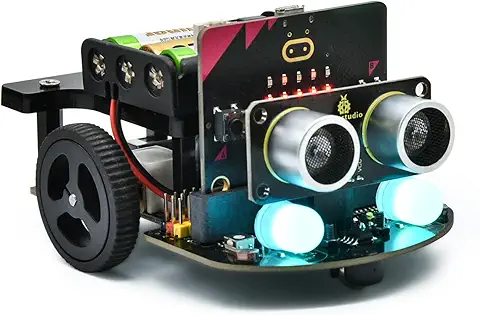 KEYESTUDIO Micro:bit V2ロボットスターターキット (マイクロビットなし) MakecodeとPython用
動き、光と音の使い方、障害物の検知と回避方法、線をたどり、IRリモコンとアプリでコントロールする方法を学びます。
 Maqueen Lite V5 micro:bit ロボットキット STEM用(ライントレース&障害物回避)
Maqueen Lite V5 STEMロボットは、事前調整済みのライントレースアルゴリズム、耐衝撃モーター、開封即使用可能な設計で、ストレスを解消します。
 たいていのことは100日あれば、うまくいく。長田英知著
「時間がなくて、なかなか自分のやりたいことができない」
「一念発起して何かを始めても、いつも三日坊主で終わってしまう」
「色んなことを先延ばしにしたまま、時間だけが過ぎていく」
そこで本書では、そんな著者が独自に開発した、
まったく新しい目標達成メソッド「100日デザイン」について、
その知識と技術を、余すところなくご紹介します。
 まんがで納得ナポレオン・ヒル 思考は現実化する
OLとして雑務をこなす日々に飽き足らず、科学者だった父が残した薬品を商品化すべく、起業を決意した内山麻由(27)。彼女はセミナーで知り合った謎の女性からサポートを得ながら、彼女と二人三脚でナポレオン・ヒルの成功哲学を実践し、さまざまな問題を乗り越えていく。
ヒル博士の<ゴールデンルール>に従い、仕事に、恋に全力疾走する彼女の、成功への物語。
 今日は人生最悪で最高の日 1秒で世界を変えるたったひとつの方法 ひすいこたろう著
偉人の伝記を読むと、最悪な日は、不幸な日ではなく、新しい自分が始まる日であることがわかります。最悪な出来事は、自分の人生が、想像を超えて面白くなる兆しなのです。偉人伝を読むことで、このときの不幸があったおかげで、未来にこういう幸せがくるのかと、人生を俯瞰する視線が立ち上がるのです。
 ご飯は私を裏切らない heisoku著
辛い現実から目を背けて食べるご飯は、いつも美味しく幸せを届けてくれる。
29歳、中卒、恋人いない歴イコール年齢。バイト以外の職歴もなく、短期バイトを転々とする日々。ぐるぐると思索に耽るけど、ご飯を食べると幸せになれる。奇才の新鋭・heisokuが贈るリアル労働グルメ物語!
 【最新版Gemini 3に対応!】できるGemini (できるシリーズ)
Geminiを「最強の知的生産パートナー」として使いこなすための、実践的なノウハウを凝縮した一冊です。
基本的な操作方法から、具体的なビジネスシーンでの活用、日々の業務を自動化するGoogle Workspaceとの連携、さらには自分だけのオリジナルAIを作成する方法まで余すところなく解説します。
 Rustプログラミング完全ガイド 他言語との比較で違いが分かる!
Rustの各手法や考え方を幅広く解説!
500以上のサンプルを掲載。実行結果も確認。
全24章の包括的なチュートリアル。
 ポチらせる文章術
販売サイト・ネット広告・メルマガ・ブログ・ホームページ・SNS…
全WEB媒体で効果バツグン!
カリスマコピーライターが教える「見てもらう」「買ってもらう」「共感してもらう」すべてに効くネット文章術
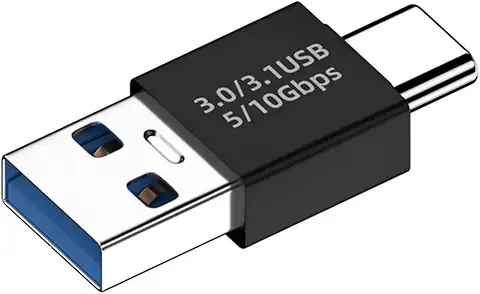 小型で便利な Type-C アダプター USB C オス - USB3.1 オスアダプター
Type-C端子のマイコンボードをこのアダプタを介して直接Raspberry Piに挿すことができます。ケーブルなしで便利なツールです。
 Divoom Ditoo Pro ワイヤレススピーカー
15W高音質重低音/青軸キーボード/Bluetooth5.3/ピクセルアート 専用アプリ/USB接続/microSDカード
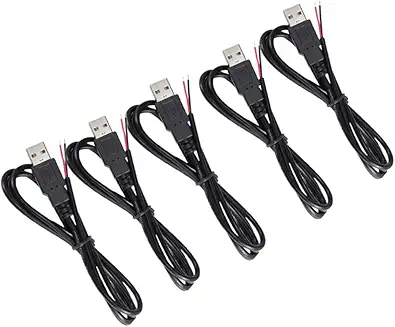 電源供給USBケーブル スリム 【5本セット】
USB電源ケーブル 5V DC電源供給ケーブル スリム 【5本セット】 電源供給 バッテリー 修理 自作 DIY 電子工作 (100cm)
|