ラズパイで作る自宅WEBサーバ構築
第5回 MySQL 設定 2025.06.14
MySQLは、オープンソースで公開されているデータベース管理システムです。
まずは、SSHクライアントの TeraTerm でWEBサーバにログインします。
※第1回 前準備から読んで頂くと流れがわかります。
●MySQLインストール
パッケージの有無を確認
$ dpkg --get-selections | grep mysql
php8.1-mysql install
利用できるパッケージのバージョンの確認します
$ apt-cache show mysql-server
Package: mysql-server
Architecture: all
Version: 8.0.36-0ubuntu0.22.04.1
Depends: mysql-server-8.0
Filename: pool/main/m/mysql-8.0/mysql-server_8.0.28-0ubuntu4_all.deb
$ apt-cache show mysql-client
Package: mysql-client
Architecture: all
Version: 8.0.36-0ubuntu0.22.04.1
Depends: mysql-client-8.0
Filename: pool/main/m/mysql-8.0/mysql-client_8.0.28-0ubuntu4_all.deb
MySQLサーバとクライアントツールのインストール
$ sudo apt install mysql-server-8.0 mysql-client-8.0
サービスの起動確認
$ sudo service mysql status
● mysql.service - MySQL Community Server
     Loaded: loaded (/lib/systemd/system/mysql.service; enabled; vendor preset: enabled)
     Active: active (running) since Thu 2024-04-04 22:41:39 JST; 2min 7s ago
    Process: 17013 ExecStartPre=/usr/share/mysql/mysql-systemd-start pre (code=exited, status=0/SUCCESS)
   Main PID: 17021 (mysqld)
     Status: "Server is operational"
      Tasks: 37 (limit: 954)
     Memory: 355.7M
        CPU: 10.107s
     CGroup: /system.slice/mysql.service
             mq17021 /usr/sbin/mysqld
●MySQLの基本設定
$ sudo mysql_secure_installation
Securing the MySQL server deployment.
Connecting to MySQL using a blank password.
初期パスワードなしのメッセージが表示されます
VALIDATE PASSWORD COMPONENT can be used to test passwords
and improve security. It checks the strength of password
and allows the users to set only those passwords which are
secure enough. Would you like to setup VALIDATE PASSWORD component?
Press y|Y for Yes, any other key for No: y
「VALIDATE PASSWORD plugin」によるパスワードチェックを有効にします。
There are three levels of password validation policy:
LOW Length >= 8
MEDIUM Length >= 8, numeric, mixed case, and special characters
STRONG Length >= 8, numeric, mixed case, special characters and dictionary file
Please enter 0 = LOW, 1 = MEDIUM and 2 = STRONG: 1
プラグインでは、パスワード強度を3段階の中から選択できます。
1:MEDIUM が無難です。
------------------------------------------------------------
パスワード・ルールは下記のようになります。
LOW:
8文字以上
MEDIUM:
8文字以上 + 数字・アルファベットの大文字と小文字・特殊文字を含む
STRONG:
8文字以上 + 数字・アルファベットの大文字と小文字・特殊文字を含む + 辞書ファイルチェック
※特殊記号:!#%()*+,-./;&<=>?@[]^_{|}~
------------------------------------------------------------
Skipping password set for root as authentication with auth_socket is used by default.
If you would like to use password authentication instead, this can be done with the "ALTER_USER" command.
See https://dev.mysql.com/doc/refman/8.0/en/alter-user.html#alter-user-password-management for more information.
MySQL8.0では auth_socket による認証が使用されるため、root のパスワード設定は省略されます。
By default, a MySQL installation has an anonymous user,
allowing anyone to log into MySQL without having to have
a user account created for them. This is intended only for
testing, and to make the installation go a bit smoother.
You should remove them before moving into a production
environment.
Remove anonymous users? (Press y|Y for Yes, any other key for No) : y
Success.
Normally, root should only be allowed to connect from
'localhost'. This ensures that someone cannot guess at
the root password from the network.
Disallow root login remotely? (Press y|Y for Yes, any other key for No) : y
Success.
By default, MySQL comes with a database named 'test' that
anyone can access. This is also intended only for testing,
and should be removed before moving into a production
environment.
Remove test database and access to it? (Press y|Y for Yes, any other key for No) : y
- Dropping test database...
Success.
- Removing privileges on test database...
Success.
Reloading the privilege tables will ensure that all changes
made so far will take effect immediately.
Reload privilege tables now? (Press y|Y for Yes, any other key for No) : y
Success.
All done!
●MySQLサーバの文字コード設定
コンソールからMySQLサーバに接続します。
$ sudo mysql -u root -p
Enter password: [ENTER]
mysql>
状態を表示してみます。
mysql> status
--------------
mysql Ver 8.0.36-0ubuntu0.22.04.1 for Linux on aarch64 ((Ubuntu))
Connection id: 10
Current database:
Current user: root@localhost
SSL: Not in use
Current pager: stdout
Using outfile: ''
Using delimiter: ;
Server version: 8.0.36-0ubuntu0.22.04.1 (Ubuntu)
Protocol version: 10
Connection: Localhost via UNIX socket
Server characterset: utf8mb4
Db characterset: utf8mb4
Client characterset: utf8mb4
Conn. characterset: utf8mb4
UNIX socket: /var/run/mysqld/mysqld.sock
Binary data as: Hexadecimal
Uptime: 46 min 34 sec
Threads: 2 Questions: 15 Slow queries: 0 Opens: 132 Flush tables: 3 Open tables: 51 Queries per second avg: 0.005
--------------
utf8 という名前の文字セットは、文字あたり最大 3 バイトを使用し、BMP 文字だけを含みます。utf8mb4 文字セットは、文字ごとに最大 4 バイトを使用し、補助文字をサポートします。
utf8 カラムには補助文字がなく、utf8データを古いバージョンの MySQL からアップグレードするときに、文字の変換やデータの損失について心配する必要はありません。
パスワード有効期限解除
$ sudo vi /etc/mysql/mysql.conf.d/mysqld.cnf
[msqld]セクションに下記行を追加します。
[mysqld]
default_password_lifetime = 0
※default_password_lifetime の設定は、MySQL 5.7 からユーザーのパスワードの有効期限がデフォルトで360日になりました。
360日するとパスワードの変更を促されてログインできなくなるので有効期限を無効にしておきます。
$ sudo service mysql restart
●rootパスワード設定
$ sudo mysql -u root -p
Enter password: [ENTER]
mysql> alter user 'root'@'localhost' identified by 'xxxxxxxx';
mysql> flush privileges;
mysql> quit
$ sudo mysql -u root -p mysql
mysql> show tables;
+------------------------------------------------------+
| Tables_in_mysql                                      |
+------------------------------------------------------+
| columns_priv                                         |
| component                                            |
| db                                                   |
| default_roles                                        |
| engine_cost                                          |
| func                                                 |
| general_log                                          |
| global_grants                                        |
| gtid_executed                                        |
| help_category                                        |
| help_keyword                                         |
| help_relation                                        |
| help_topic                                           |
| innodb_index_stats                                   |
| innodb_table_stats                                   |
| password_history                                     |
| plugin                                               |
| procs_priv                                           |
| proxies_priv                                         |
| replication_asynchronous_connection_failover         |
| replication_asynchronous_connection_failover_managed |
| replication_group_configuration_version              |
| replication_group_member_actions                     |
| role_edges                                           |
| server_cost                                          |
| servers                                              |
| slave_master_info                                    |
| slave_relay_log_info                                 |
| slave_worker_info                                    |
| slow_log                                             |
| tables_priv                                          |
| time_zone                                            |
| time_zone_leap_second                                |
| time_zone_name                                       |
| time_zone_transition                                 |
| time_zone_transition_type                            |
| user                                                 |
+------------------------------------------------------+
|
 Raspberry Pi(ラズベリー パイ)は、ARMプロセッサを搭載したシングルボードコンピュータ。イギリスのラズベリーパイ財団によって開発されている。
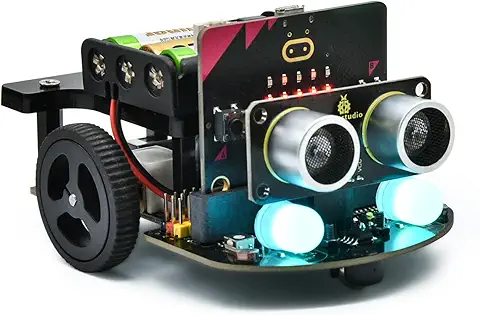
 KEYESTUDIO Micro:bit V2ロボットスターターキット (マイクロビットなし) MakecodeとPython用
動き、光と音の使い方、障害物の検知と回避方法、線をたどり、IRリモコンとアプリでコントロールする方法を学びます。
 Maqueen Lite V5 micro:bit ロボットキット STEM用(ライントレース&障害物回避)
Maqueen Lite V5 STEMロボットは、事前調整済みのライントレースアルゴリズム、耐衝撃モーター、開封即使用可能な設計で、ストレスを解消します。
 たいていのことは100日あれば、うまくいく。長田英知著
「時間がなくて、なかなか自分のやりたいことができない」
「一念発起して何かを始めても、いつも三日坊主で終わってしまう」
「色んなことを先延ばしにしたまま、時間だけが過ぎていく」
そこで本書では、そんな著者が独自に開発した、
まったく新しい目標達成メソッド「100日デザイン」について、
その知識と技術を、余すところなくご紹介します。
 まんがで納得ナポレオン・ヒル 思考は現実化する
OLとして雑務をこなす日々に飽き足らず、科学者だった父が残した薬品を商品化すべく、起業を決意した内山麻由(27)。彼女はセミナーで知り合った謎の女性からサポートを得ながら、彼女と二人三脚でナポレオン・ヒルの成功哲学を実践し、さまざまな問題を乗り越えていく。
ヒル博士の<ゴールデンルール>に従い、仕事に、恋に全力疾走する彼女の、成功への物語。
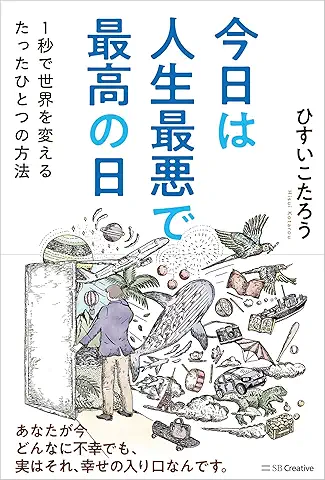 今日は人生最悪で最高の日 1秒で世界を変えるたったひとつの方法 ひすいこたろう著
偉人の伝記を読むと、最悪な日は、不幸な日ではなく、新しい自分が始まる日であることがわかります。最悪な出来事は、自分の人生が、想像を超えて面白くなる兆しなのです。偉人伝を読むことで、このときの不幸があったおかげで、未来にこういう幸せがくるのかと、人生を俯瞰する視線が立ち上がるのです。
 ご飯は私を裏切らない heisoku著
辛い現実から目を背けて食べるご飯は、いつも美味しく幸せを届けてくれる。
29歳、中卒、恋人いない歴イコール年齢。バイト以外の職歴もなく、短期バイトを転々とする日々。ぐるぐると思索に耽るけど、ご飯を食べると幸せになれる。奇才の新鋭・heisokuが贈るリアル労働グルメ物語!
 【最新版Gemini 3に対応!】できるGemini (できるシリーズ)
Geminiを「最強の知的生産パートナー」として使いこなすための、実践的なノウハウを凝縮した一冊です。
基本的な操作方法から、具体的なビジネスシーンでの活用、日々の業務を自動化するGoogle Workspaceとの連携、さらには自分だけのオリジナルAIを作成する方法まで余すところなく解説します。
 Rustプログラミング完全ガイド 他言語との比較で違いが分かる!
Rustの各手法や考え方を幅広く解説!
500以上のサンプルを掲載。実行結果も確認。
全24章の包括的なチュートリアル。
 ポチらせる文章術
販売サイト・ネット広告・メルマガ・ブログ・ホームページ・SNS…
全WEB媒体で効果バツグン!
カリスマコピーライターが教える「見てもらう」「買ってもらう」「共感してもらう」すべてに効くネット文章術
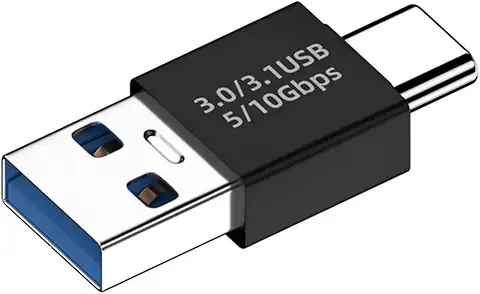 小型で便利な Type-C アダプター USB C オス - USB3.1 オスアダプター
Type-C端子のマイコンボードをこのアダプタを介して直接Raspberry Piに挿すことができます。ケーブルなしで便利なツールです。
 Divoom Ditoo Pro ワイヤレススピーカー
15W高音質重低音/青軸キーボード/Bluetooth5.3/ピクセルアート 専用アプリ/USB接続/microSDカード
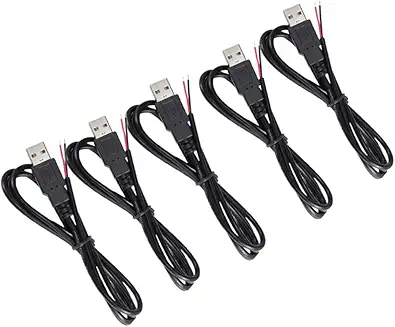 電源供給USBケーブル スリム 【5本セット】
USB電源ケーブル 5V DC電源供給ケーブル スリム 【5本セット】 電源供給 バッテリー 修理 自作 DIY 電子工作 (100cm)
|